Supported through statusjson.cgi, local credential verification, status.dat enrichment, notification forwarding, and external command writes.
LCW Labs monitoring companion
Server Alerts
Secure mobile alerts and operations for Nagios, Icinga, Checkmk, and Sensu environments. Keep monitoring servers private, send state-change push notifications, and give authorised users a clean dashboard for hosts, services, downtime, and notification controls.
Built for monitoring teams who want safer mobile access.
Server Alerts separates public mobile access from private monitoring infrastructure. The connector runs beside the monitoring server, talks outbound to the broker, and lets the mobile apps receive updates without exposing the monitoring web UI to the internet.
Compatibility path
The pilot connector now uses platform-specific adapters instead of treating every monitoring system as Nagios. Nagios and Icinga have the broadest action support today, while Checkmk and Sensu have initial read-only snapshot adapters for pilot validation.
Supported through the Icinga REST API for snapshots, credential checks, acknowledgements, downtime, and notification controls.
Initial Checkmk REST API support can read live host and service state for pilot dashboards and compatibility testing.
Initial Sensu API support can read entity and check events so Sensu environments can be tested alongside existing Server Alerts sites.
What it does
Focused operational controls for people who already use service monitoring every day.
Receive host, service, recovery, downtime start, and downtime end notifications on Android and iOS through Firebase Cloud Messaging.
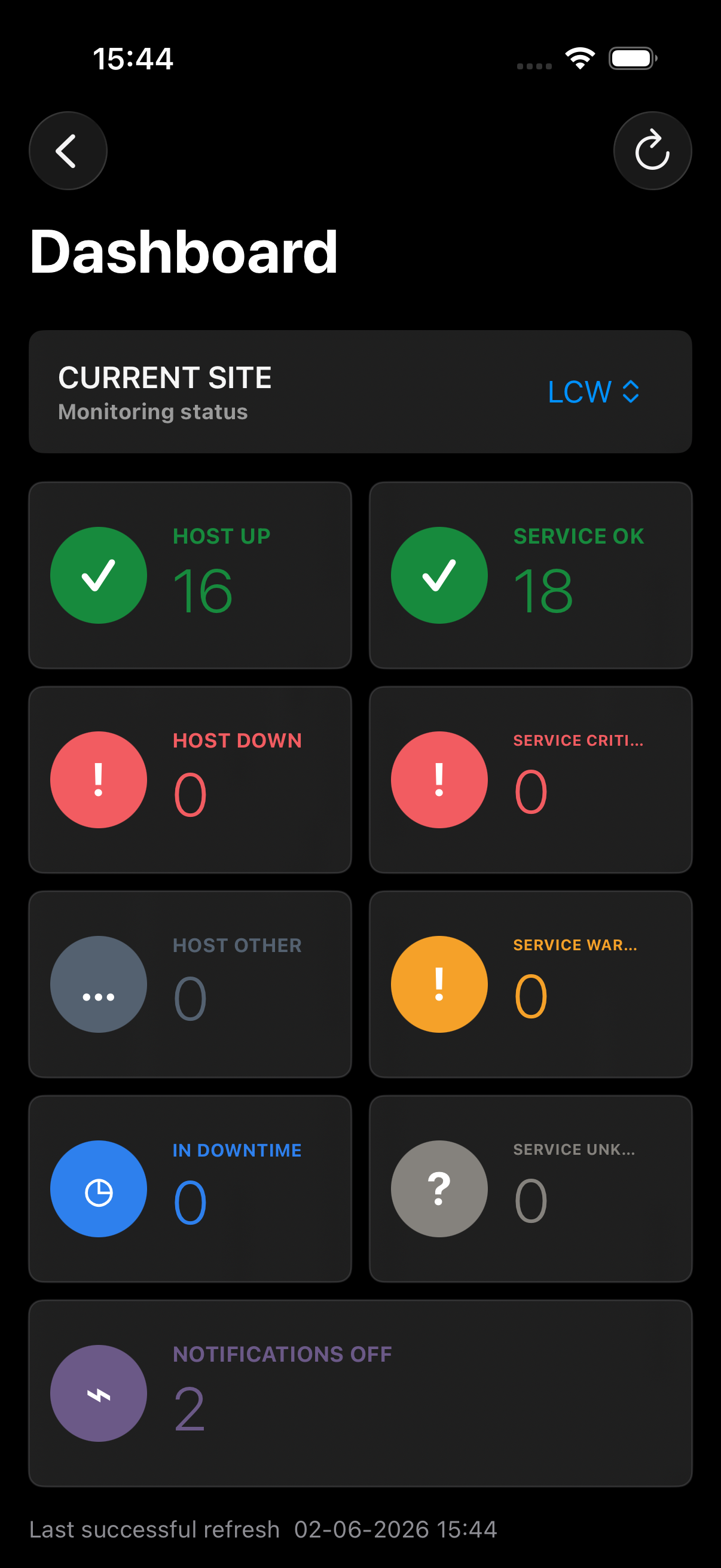
See host and service health, downtime indicators, disabled notification indicators, and last successful refresh details across multiple sites.
Schedule fixed or flexible downtime with a reason, then cancel scheduled downtime when work is finished early.
Disable and re-enable notifications for hosts and services using brokered monitoring commands.
Users can connect to several monitoring sites, choose a default site, and add existing sites by code or QR link.
New servers use a one-time enrolment code and a hosted installer script. Codes expire, connector tokens stay on the monitoring server, and named instances let several connectors run side by side.
Security model
Server Alerts is designed around outbound-only connectors, encrypted broker traffic, role-based access, and auditable operator actions. Monitoring servers do not need inbound internet exposure for app access.
The connector runs inside the monitoring network and calls the broker over HTTPS. The broker and mobile apps do not connect directly to the monitoring web interface.
In production, the connector's broker URL must use HTTPS for all traffic to Server Alerts. Plain HTTP is accepted only when the broker is running on localhost for development.
Connector bearer tokens are stored hashed on the broker and can be rotated from the admin portal if a server is rebuilt or a secret needs replacing.
Users prove access by entering monitoring credentials, but the connector verifies them locally and completed verification payloads are scrubbed server-side.
Operators can invite users and perform site actions. Viewers can inspect status only. Site access is tied to licence seat limits.
Invites, role changes, health-alert settings, enrolments, licence overrides, connector token rotations, and site actions are recorded for operator and admin review.
How setup works
The pilot workflow is designed so a monitoring administrator can onboard without editing the cloud broker by hand.
Sign in to the portal or mobile app with a Server Alerts account and request pilot access.
Choose the monitoring platform and generate a one-time code for the server or site you want to connect.
Run the short HTTPS installer command on the monitoring server. It installs the connector, creates a named instance, and registers the site.
Enter monitoring credentials in the app. The connector verifies them locally before the user gets access.
Portal for setup, licensing, and administration.
The portal gives pilot users a guided setup flow and gives LCW Labs an operator view for trials, sites, enrolments, and support.
LCW Labs admin
Pilot overview
Pilot group
Interested in testing Server Alerts?
Pilot access is currently approved manually while the service is being validated. Send a short request and LCW Labs will follow up with suitable early users for testing.