Push notifications
Host, service, recovery, downtime, and site-health notifications on Android and iOS.
Product
The apps show current monitoring state and supported actions. The portal manages the organisations, sites, users, licensing, dashboards, alert policy, and connector lifecycle behind them.
iOS and Android
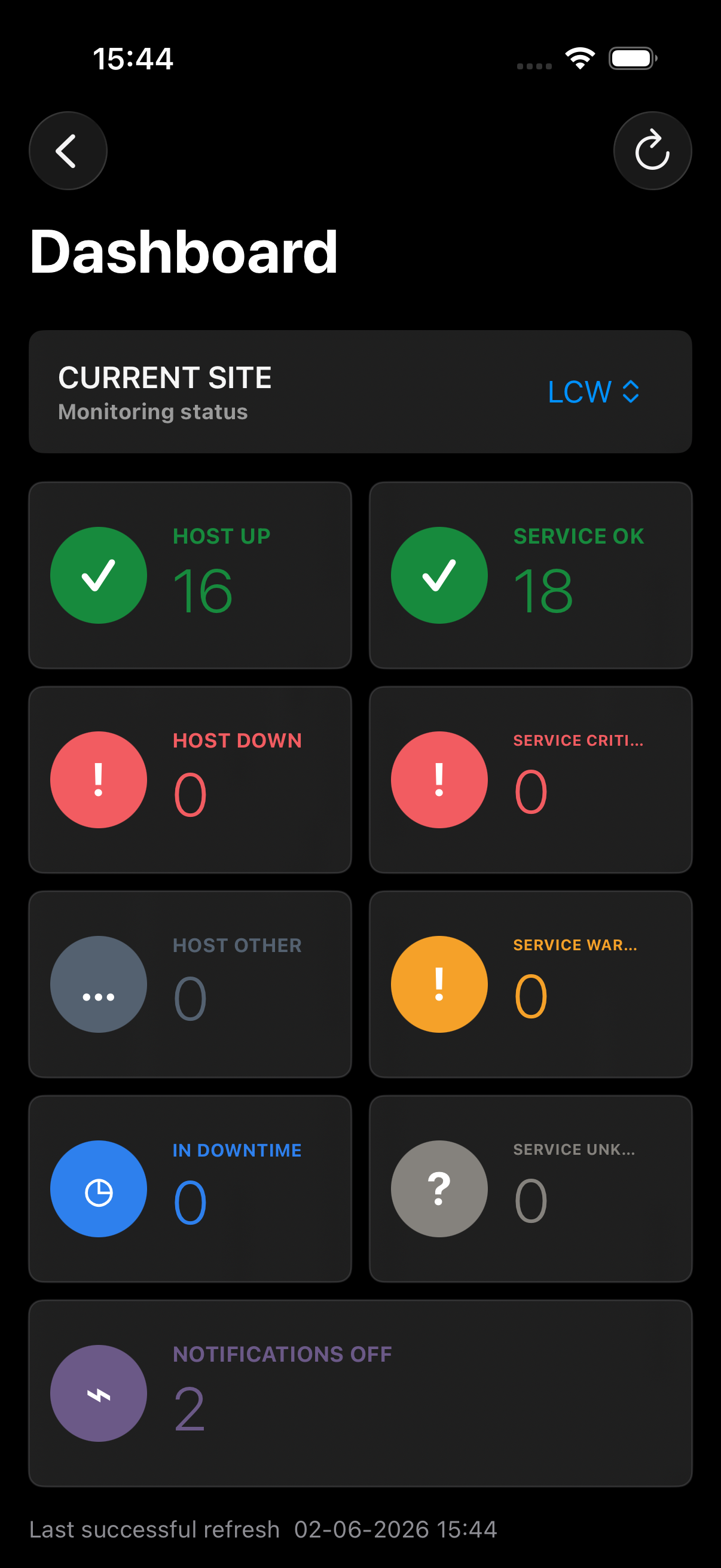
Move from a push notification to the affected host or service, inspect state duration and output, and use supported controls without opening the monitoring interface.
Capabilities
Available actions depend on the monitoring platform and user role.
Host, service, recovery, downtime, and site-health notifications on Android and iOS.
Health, state duration, output, downtime, notification state, and refresh details.
Open the affected host or service directly from supported push notifications.
Acknowledge issues, manage downtime, request checks, and control notifications.
Retain cloud and self-hosted profiles without mixing sessions or site data.
Configure warning, critical, recovery, push, and email policies per site.
Customer portal
A predictable place to manage access and infrastructure.
Create enrolments, track versions and health, and queue supported updates.
Invite operators or viewers, manage roles, seats, and organisation SSO.
Create read-only per-site monitoring displays without action controls.
Review entitlements, allocate sites, and manage Stripe billing.
Set warning and critical timing, cooldowns, roles, and delivery channels.
Review and export account, connector, and monitoring actions.
Setup workflow
Use LCW Labs Cloud or provision a self-hosted broker.
Select the platform and generate a time-limited code.
Install and register a named connector instance.
Licence the site, add users, and open it in the app.
Next step